
Sample ATS-Friendly Resume With Formatting Notes
Key takeaways
- Keep your name, contact details and work history in the main document body, without sidebars or text boxes.
- Use your actual job titles and demonstrate relevant skills through specific tasks.
- Replace every placeholder before submitting, then check that copied text appears in the correct order.
- Follow the employer’s file requirements. A readable resume cannot compensate for missing qualifications.
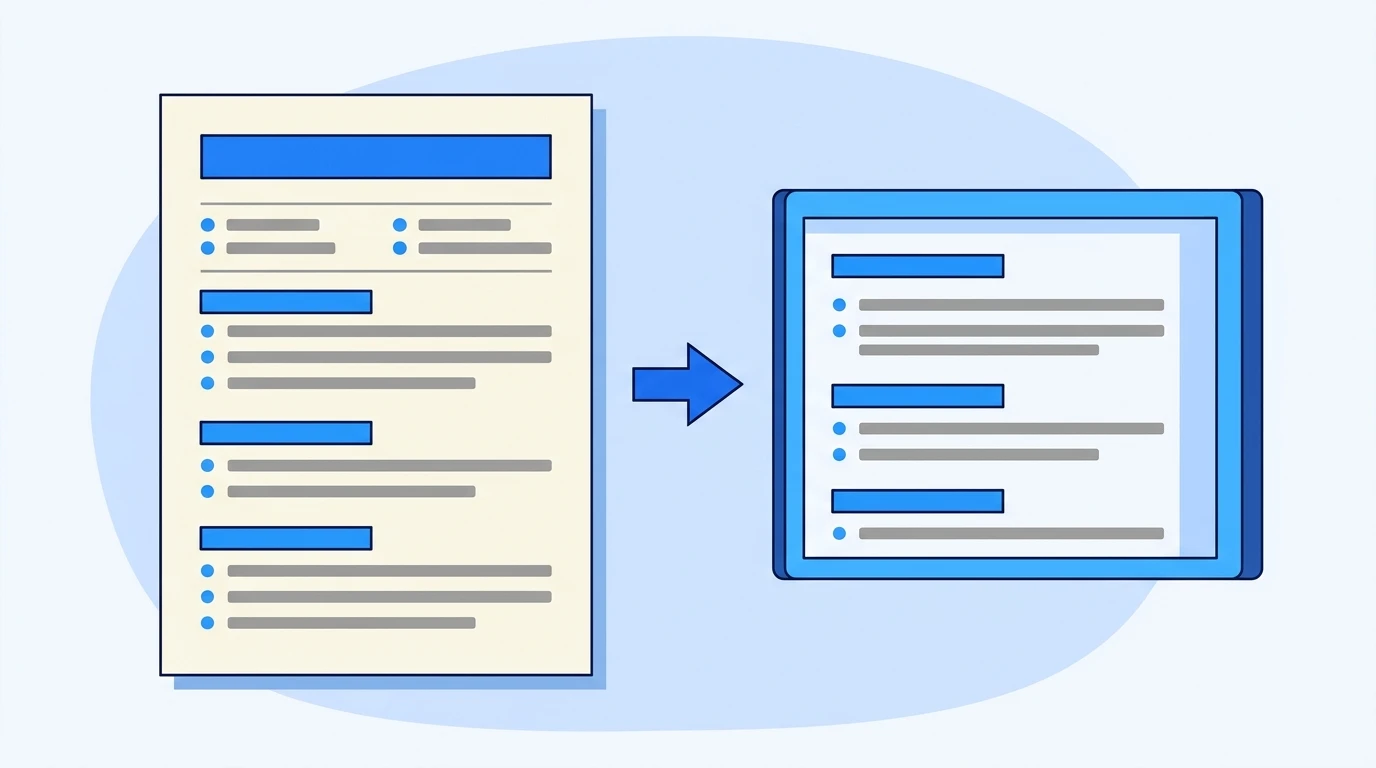
A sample ATS friendly resume uses a single column, standard headings and ordinary document text that recruiting software can extract. Keep contact details in the document body, not a header. Copy the completed example or blank template below, then follow the formatting notes to adapt and test your file.
Copyable ATS-Friendly Resume Sample
An applicant tracking system, or ATS, can extract resume details into application fields. Our ATS resume readiness guide explains the broader process, including why readable formatting cannot guarantee selection.
Consider a fictional purchasing administrator applying for a procurement assistant vacancy. The employer requests purchase order processing, supplier communication and Microsoft Excel. This sample shows those skills through work activities, without inventing performance percentages. Replace the fictional history and contact placeholders with your own information.
MAYA PATEL
London, United Kingdom
[Phone number] | [Professional email address]

PROCUREMENT ASSISTANT

PROFESSIONAL SUMMARY
Purchasing administrator with experience processing purchase orders,
maintaining supplier records and tracking deliveries. Uses Microsoft Excel
to reconcile order information and investigate discrepancies.
Seeking a procurement assistant role supporting purchasing operations.

WORK EXPERIENCE

Purchasing Administrator
North Quay Supplies, London, United Kingdom
April 2023 - Present
- Prepare purchase orders from approved requests and check item codes,
  quantities and delivery details before submission.
- Maintain an Excel order tracker and follow up with suppliers about
  outstanding deliveries.
- Compare invoices with purchase orders and delivery records, then
  refer discrepancies to the accounts team.

Administrative Assistant
Meadow Services, London, United Kingdom
September 2021 - March 2023
- Updated customer and supplier records, checking entries against
  source documents.
- Coordinated delivery appointments and recorded schedule changes
  for the operations team.

EDUCATION
Diploma in Business Administration
Westbridge College, London, United Kingdom
2021

SKILLS
Purchase order processing
Supplier communication
Delivery tracking
Invoice checking
Microsoft Excel
Data entry
The target role appears beneath the contact details, while the employment history preserves the candidate’s actual job titles. Keep that distinction. You can identify the role you want without renaming a previous position to match an advertisement.
The experience statements also show what the candidate did with each skill. “Maintained an Excel order tracker” provides more useful evidence than an unsupported rating such as “Excel: expert.”
Formatting Notes: What to Preserve When You Paste
Use ordinary paragraphs and built-in document formatting when transferring the sample into an editor. The code block provides copyable text, not a finished Word layout. Remove accidental line breaks within sentences so your editor can wrap text naturally.
| Resume element | Formatting to use | What to avoid |
|---|---|---|
| Name and contact details | Place them at the top of the main document body | Putting essential details only in a header, footer or floating box |
| Page structure | Keep one continuous reading column | Sidebars, overlapping objects and decorative panels |
| Section headings | Use labels such as Work Experience, Education and Skills | Creative labels that make sections harder to identify |
| Employment entries | Give each title, employer and date range a clear position | Aligning dates through repeated spaces |
| Achievement statements | Use the editor’s built-in bullets | Icons or manually drawn bullet graphics |
| Skills | Write skill names as ordinary text | Rating bars, logos and star symbols |
Microsoft’s Word accessibility guidance recommends avoiding tables where possible and keeping important information out of headers and footers. These are useful document-structure precautions, although accessibility guidance does not certify ATS compatibility.
Keep a readable default font and enough space between sections. Our guidance on writing a CV that is easy to scan covers the human review that follows extraction. A document still needs to make sense when a recruiter opens it.
Blank Resume Template to Fill In
Use this as a free ATS resume template in your document editor. Replace the bracketed instructions completely, and delete any optional section you cannot support. Repeat the employment entry for earlier relevant positions, placing your latest role first.
[FULL NAME]
[City, Country]
[Phone number] | [Professional email address]

[TARGET ROLE]

PROFESSIONAL SUMMARY
[Your professional background and relevant area of experience.]
[Specific tools or responsibilities that support this application.]

WORK EXPERIENCE

[Actual job title]
[Employer], [City, Country]
[Month Year] - [Present or Month Year]
- [Action you performed, the task involved and the tool or method used.]
- [Relevant responsibility and the people or process it supported.]
- [Verified outcome, completed deliverable or problem you resolved.]

EDUCATION
[Qualification]
[Institution], [Location]
[Completion year or expected completion date]

SKILLS
[Relevant skill you can demonstrate]
[Relevant software or tool]
[Relevant process or technical skill]

CERTIFICATIONS
[Relevant certification], [Issuing organisation], [Date or status]
[Delete this section if it does not apply.]
A useful experience statement identifies an action and its context. For example, replace “Responsible for suppliers” with “Followed up with suppliers about outstanding deliveries and updated the order tracker.” Include a measurable result only when you can substantiate it.
If you have no employment history, replace Work Experience with Relevant Projects. Describe work you actually completed through study, volunteering or independent projects, and identify the setting accurately.
Adapt and Test the Exact File You Will Submit
The employer’s upload instructions take priority over any applicant tracking system resume format recommendation. Prepare the document, save an accepted file type, then test that saved version. Checking only the editable draft can miss problems introduced during export.
- Paste and rebuild the formatting. Start with a blank document, paste the template as plain text and apply headings and bullets using the editor’s controls. Let the editor handle line wrapping rather than pressing Enter at the end of every visible line.
- Replace placeholders and verify the content. Search for opening brackets to find unfinished fields. Check dates and job titles against your records. If the vacancy requires SAP and you have only used Excel, do not add SAP to close the gap.
- Save in the requested file type. Google’s instructions for downloading a document explain how to choose a file type when exporting from Google Docs. Open the downloaded file and inspect it before uploading.
- Check text extraction and application fields. Copy the saved document’s text into a plain-text editor. Confirm that your contact details, employers and dates appear in a sensible order, then review any fields populated by the application portal.
A scanned PDF needs particular care. Adobe’s guidance on editing scanned PDFs explains how optical character recognition, or OCR, makes scanned content editable. If you have the original document, export a fresh text-based file rather than submitting a photograph or scan.
Copying text successfully is a useful check, not proof that every ATS will parse it correctly. If the application portal assigns an employer name to the wrong role, correct the field where possible and recheck the document’s structure.
A free ATS resume check can flag potential problems, but its score cannot establish that you meet an employer’s requirements.
Sources and references
Frequently asked questions
Can I use this sample for a teaching job?
Yes. Replace the purchasing content with evidence such as lesson planning, assessment and classroom responsibilities. Include subject qualifications or teaching credentials when the vacancy requires them.
How should I show a promotion at the same employer?
Give each position its own job title and date range. Repeat the employer name for each entry if grouping the roles makes the relationship unclear, and place achievements beneath the role where they occurred.
Should I include a photo or identification number?
Leave these out unless the employer has a clear, legitimate requirement for them. Provide sensitive identity information only through an appropriate, verified process, rather than adding it to a generally circulated resume.
Where should a cover note go?
Put it in the employer’s designated message field or upload it separately when requested. Keep it outside the resume unless the application instructions explicitly ask for a combined document.
Replace the procurement details with your own evidence, then test the exact file you plan to submit. Joblancer offers ATS-focused CV checks and country-specific rewriting by resume experts, so contact our team about CV support if you want help reviewing your document. This guide cannot guarantee an interview or employment. Follow official employer instructions and seek qualified advice where country-specific requirements are unclear.
This article is general information for education. It is not legal, immigration, tax or HR advice, and it does not guarantee employment or a visa. Check important points with official sources or a qualified professional.